Font Freezer
Freeze OpenType features and variable-font axes permanently into any font — no CSS required at render time.
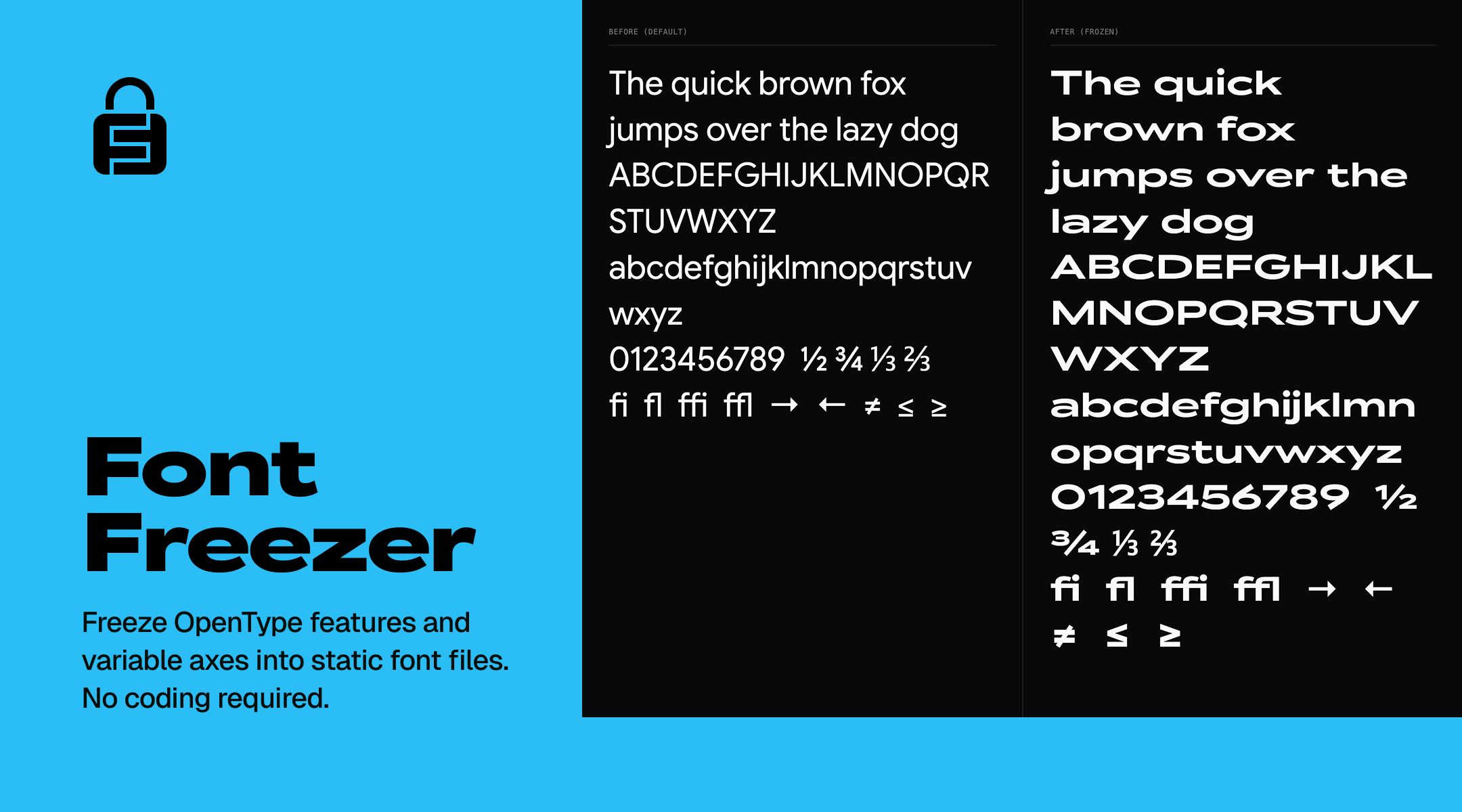
The Problem
Many design tools, older software, and email clients do not fully support CSS font-feature-settings or variable font axes. If you want to use a specific feature (like tabular numbers, small caps, or alternate glyphs) everywhere, you need them baked directly into the font file.
The Solution
Font Freezer analyzes your font, extracts the exact OpenType rules you want, bakes them permanently into the font's character map, and returns a new <Family> Frozen.woff2 file.
The resulting font will look exactly as you intended, by default, in any software.
Features
- OpenType Freezing: Bake
smcp,onum,tnum,ss01,zero, and more. - Italic Support: Work with both Roman and Italic variants — fonts with a separate italic file (e.g. Inter, Nunito) or an
italvariable axis are both handled automatically. - Variable Font Pinning: Freeze specific weights (
wght), widths (wdth), and other axes into static files. - Format Conversion: Convert freely between TTF, OTF, WOFF, and WOFF2.
- Google Fonts Integration: Search, analyze, and process any Google Font on the fly.
🤖 AI Integration (MCP)
Font Freezer is officially integrated into the Model Context Protocol (MCP) via the Smithery registry. You can give your AI agents (Claude, Cursor, Windsurf) the ability to analyze and freeze fonts directly in your workspace!
How to Install
Option 1: Quick Install (Claude Desktop & Windsurf)
Use the auto-installer via Smithery:
npx -y smithery mcp add fontfreezer/fonts
Option 2: Universal Configuration (Action Required for Cursor, Antigravity, Cline)
For agents that do not support automated Smithery CLI installation, you must manually add Font Freezer to your agent's MCP configuration file (e.g. cline_mcp_settings.json or Cursor's MCP settings panel).
Add the following JSON to your mcpServers configuration:
{
  "mcpServers": {
    "fontfreezer": {
      "type": "http",
      "url": "https://mcp.fontfreezer.com/mcp"
    }
  }
}
Older clients that only speak SSE can use "type": "sse" with
https://mcp.fontfreezer.com/sse — that endpoint stays available.
Note: Font Freezer is a managed cloud service. This configuration connects your agent directly to our secure SSE endpoint without requiring any local Python or Node package installations.
Available Tools
| Tool | What it does | Parameters |
|---|---|---|
freeze_font |
Bakes OpenType features into the font's cmap and returns the result | font_name (required), features (required) — comma-separated tags, axes — e.g. wght=400,wdth=75, format — woff2 (default), woff, ttf, otf, style — normal (default) or italic |
analyze_font |
Reports a font's OpenType features, variable axes, and metadata | font_name (required), style |
search_google_fonts |
Searches Google Fonts by name; up to 50 results | query — omit for popular fonts |
convert_font |
Converts between formats without freezing anything | font_name (required), format, style |
Where Your Font Ends Up
This depends on how you connected, and it is worth knowing before you start:
- Hosted server (the SSE config above): the server has no access to your filesystem, so
freeze_fontandconvert_fontupload the result and return a download link valid for 7 days. Your agent fetches it and saves it into your project. - Local install (stdio): the font is written straight into your project —
public/fonts,assets/fonts, orfontsif one exists, otherwise the current directory.
Try it with your AI
Once installed, ask your agent things like:
"Analyze the Inter font and tell me what features it supports."
"I need Roboto Mono. Freeze the tabular figures (tnum) and slashed zero (zero) as WOFF2, and save it into my
assets/folder.""Freeze Inter Italic with small caps (smcp) enabled."
Privacy & Data Handling
Using the hosted server means your requests are processed on our infrastructure. In full:
- No account, no API key, no sign-up. The endpoint is open and anonymous.
- What we receive: the font family names and options you pass to the tools. Fonts themselves are fetched by us from Google Fonts — you are not uploading your own files through the MCP tools.
- What we store: the generated font file, kept in private storage and reachable only through the expiring signed link you are given. We also record the tool name, its arguments, duration, and success or failure, so we can tell whether the service is working.
- What we do not collect: no personal data, no credentials, no telemetry about your machine or project.
© 2026 Font Freezer. All rights reserved.